
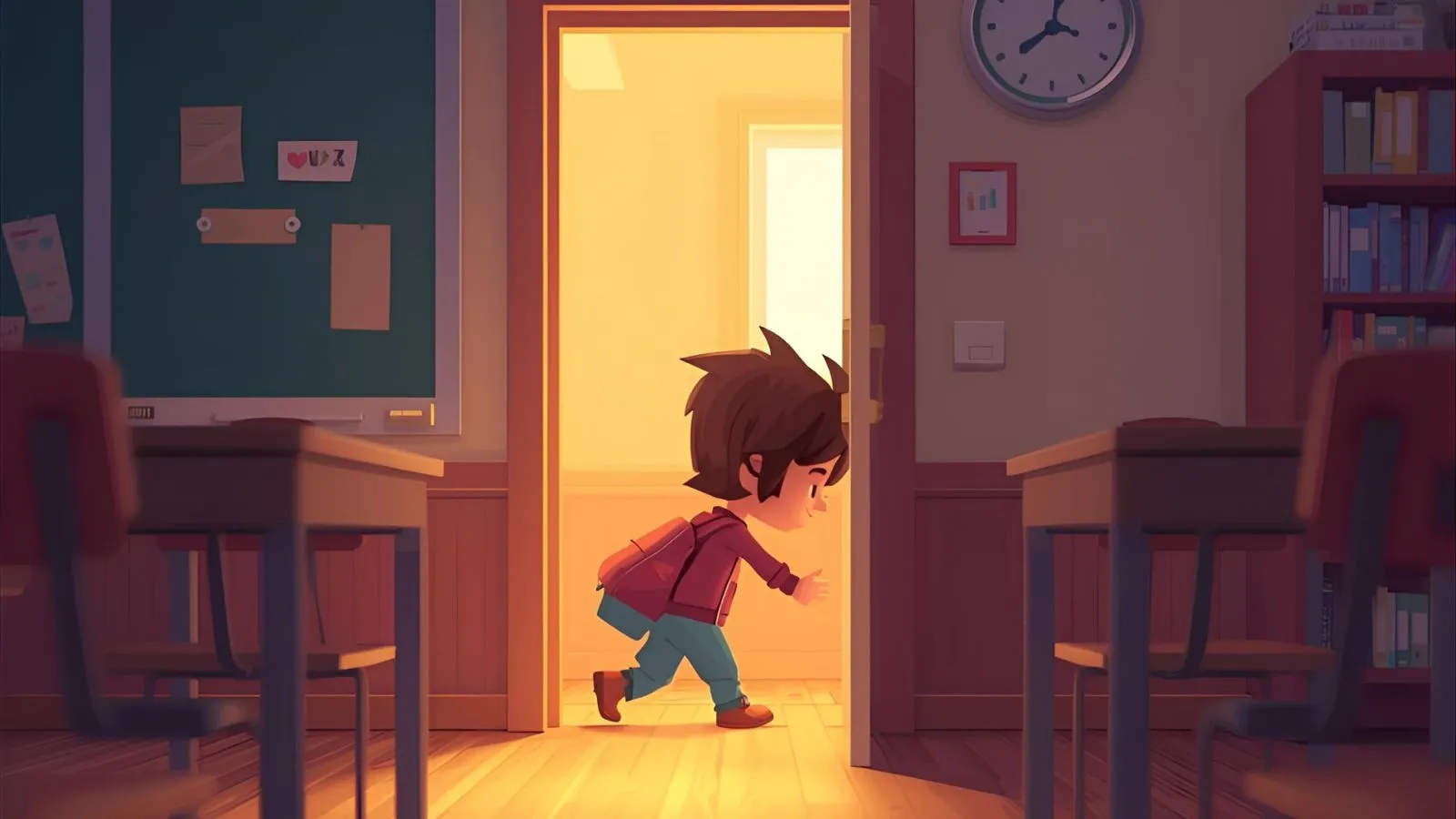
If you grew up on browser games, you’ve probably heard of Riddle School, the quirky classroom escape game that refuses to fade away.
Today’s players are often hunting for Riddle School unblocked so they can relive that nostalgia on modern laptops, Chromebooks, or phones.
This guide walks you through what the game is, how unblocked versions work, and where to play without sketchy downloads.
Along the way, you’ll see safety notes for kids and parents, quick tips to finish faster, and some chill alternatives when your favorite site goes down.
Quick Answer
To play Riddle School unblocked, open a trusted browser game site that hosts a safe, emulated version of the original point-and-click escape game and run it directly in your browser, with no downloads or special plugins required. Look for simple, ad-light pages, respect your school or workplace rules, and stick to official app stores if you ever install anything.
Table of Contents
• What Is Riddle School And Why It’s Still Popular
• How To Play Riddle School Unblocked Online Safely
• Best Sites To Play Riddle School Unblocked Right Now
• Riddle School Unblocked 76, 66, And 911 Explained
• Playing Riddle School Unblocked On School Chromebooks
• Riddle School Unblocked With No Flash Or Downloads
• Riddle School Series Order, Remakes, And Spin-Offs
• Is Riddle School Safe And Kid-Friendly To Play?
• Tips And Tricks To Beat Riddle School Faster
• How Long It Takes To Finish Riddle School
• Riddle School Unblocked On Phone, Tablet, And TV
• Riddle School GitHub, APKs, And Browser Extensions
• Alternatives If Riddle School Is Blocked Or Down
• Nostalgia Factor: Why Riddle School Still Feels So Cozy
• FAQs
• Conclusion
TL;DR
• Riddle School is a classic school-escape point-and-click puzzle.
• You can play unblocked on trusted browser-game portals.
• No Flash or sketchy downloads should be required anymore.
• Keep playtime short and follow school or work rules.
• Kids can enjoy it; parents may still want to peek.
What Is Riddle School And Why It’s Still Popular
Riddle School started as a mid-2000s Flash game about a bored kid trying to escape class, and it quickly became a staple of computer lab free time. You play as Phil Eggtree, clicking around classrooms, hallways, and lockers to collect items, read silly dialogue, and slowly unlock your way to the exit. The whole experience feels like a tiny escape room set inside the most average school ever.
Even though Flash is gone, modern emulated versions keep the game alive. The puzzles are short, the jokes are simple, and the art is charmingly low-fi, which makes it perfect for quick breaks. Because runs are only a few minutes long once you know what to do, a lot of people replay it just for the comfort and nostalgia factor.
• Classic point-and-click interface makes it easy for beginners.
• Simple art style keeps the focus on puzzles and characters.
• Short play sessions fit between homework, chores, or meetings.
• Lighthearted humor softens the “escape school” storyline.
• Puzzles feel clever without requiring advanced gaming skills.
• Minimal controls mean almost anyone can pick it up fast.
• Dialogues add personality without long reading sessions.
• Replay runs help you notice extra jokes and small details.
• Kids and adults can enjoy the same jokes differently.
• Fans often treat it as a comfort game during stressful weeks.
• Older players revisit it to relive computer lab memories.
• New players discover it through unblocked game portals.
How To Play Riddle School Unblocked Online Safely
When people search for Riddle School unblocked, they’re usually dealing with school or office networks that limit gaming sites. “Unblocked” simply means the game loads over that network without being stopped by filters, not that it’s special or hacked. The safest option is to stick with well-known game portals that let you run the game directly in your browser.
Because there are many copycat websites, it’s worth being picky. Favor clean layouts, minimal pop-ups, and pages that don’t ask you to install random executables. And if you’re on a school or library machine, remember that their rules matter more than any website’s promises about being “safe for school.”
• Choose sites that load quickly without weird redirects.
• Avoid pages demanding extra browser extensions to start.
• Skip any site that wants system-wide “optimizer” tools.
• Keep your ad blocker on if your school or home allows it.
• Close pages that suddenly open many extra tabs.
• Never run unknown .exe or .apk files from fan sites.
• Treat emails promising “secret unblocked versions” as scams.
• Use the game’s own fullscreen button instead of add-ons.
• Stick with one or two trusted portals you recognize.
• When in doubt, ask a parent or tech-savvy adult first.
• Stop playing immediately if performance suddenly tanks.
• Log out of personal accounts before visiting random portals.
Best Sites To Play Riddle School Unblocked Right Now
Plenty of websites host embedded versions of Riddle School, but not all of them feel equally comfortable to use. Some are cluttered with auto-playing videos, while others focus on simple pages where the game is the center of attention. Since the game is small and old, it should load almost instantly on modern connections.
Look for sites that openly mention playing in browser without downloads and that support both desktop and mobile browsers. Portals that host multiple Riddle School entries or similar escape games are often maintained better, because fans keep coming back to them.
• Favor sites that clearly state “play in browser, no download.”
• Check if the game canvas resizes nicely on your screen.
• Test the sound controls before committing to long play.
• Look for language options if English isn’t your first language.
• Scan the page for obvious “fake download” banner buttons.
• See whether related Riddle School titles sit nearby.
• Try a different portal if the game feels laggy or choppy.
• Read a short description before clicking fullscreen mode.
• Bookmark one favorite portal after a smooth playthrough.
• Share that specific link with friends instead of random mirrors.
• Avoid fan sites hosting dozens of unrelated installer files.
• Close any page where the game fails but ads keep running.
Riddle School Unblocked 76, 66, And 911 Explained
If you’ve ever searched for browser games during class, you’ve probably seen numbers like 76, 66, or 911 attached to “unblocked.” These are usually just informal labels communities use for clusters of game sites or domains that once loaded well on school networks. For Riddle School, “unblocked 76” or “unblocked 66” almost always leads to the same game, just on a differently named portal.
Because these labels are community shortcuts rather than official versions, they don’t guarantee quality. Some mirrors are fine and simply embed the same game file; others are ad-heavy or short-lived. Treat the numbers as search hints, not a seal of approval, and focus on whether the individual page feels safe and functional.
• Understand those numbers as informal community nicknames.
• Remember they rarely signal extra levels or secret endings.
• Judge each site on layout, speed, and behavior instead.
• Prefer portals you recognize over random “76” clones.
• Don’t chase every new subdomain promising super-unblocked play.
• Expect the core story and puzzles to stay exactly the same.
• Ignore comments claiming these versions are “edgier” or “hardcore.”
• Use the labels to discover options, not chase hype.
• Leave sketchy mirrors immediately if things look off.
• Share reliable links instead of mysterious numbered ones.
• Focus more on playing than on hunting mythical builds.
• Remember the original creator isn’t running those mirrors.
Playing Riddle School Unblocked On School Chromebooks
Chromebooks are now standard in a lot of American classrooms, and Riddle School actually plays nicely on them. Since the game uses simple mouse input, your trackpad or an external mouse is all you need. Most modern school Chromebooks already run Chrome or an equivalent browser that handles the emulated game just fine.
That said, being able to load the game doesn’t mean you’re automatically allowed to play. Teachers, tech coordinators, and district policies might restrict game time to breaks or certain websites. Treat the game like a bonus for free periods, not something you sneak in during quizzes or lectures.
• Use the latest Chrome version your school provides.
• Test the game with trackpad taps before class starts.
• Lower system volume so sound doesn’t surprise anyone.
• Avoid playing during lessons unless a teacher okays it.
• Close the tab quickly when it’s time to refocus.
• Keep schoolwork tabs open alongside any game tab.
• Respect content filters instead of trying to dodge them.
• Don’t install random Android apps on a shared Chromebook.
• Log out fully when leaving shared classroom devices.
• Treat the game as a short break, not a daily habit.
• Ask permission before showing classmates the site.
• Stop playing if a teacher or tech staff asks you to.
Riddle School Unblocked With No Flash Or Downloads
Originally, Riddle School ran in Adobe Flash, which browsers no longer support. Today’s unblocked versions use either an emulator that runs the old file inside your browser or a port rewritten in modern web technologies. From your perspective as a player, it just looks like the game loads and runs without extra steps.
This shift means you shouldn’t have to install any special plugins or helper apps just to play. If a site still claims you must “enable Flash” by installing something third-party, you’re better off closing that tab and finding a modern host. With so many updated portals, there’s no good reason to gamble on outdated tech tricks.
• Expect the game to launch with a regular “Play” button.
• Avoid “Flash updater” pop-ups from unknown sources.
• Don’t download separate emulators unless you fully trust them.
• Keep your browser updated to support modern web emulation.
• Use fullscreen mode inside the game rather than the browser.
• Refresh the tab once if controls feel slightly laggy.
• Try a different host if audio desync becomes distracting.
• Skip sites that require downloading extra launcher programs.
• Use private browsing if you don’t want cookies sticking.
• Watch laptop temperature when running old emulated games.
• Close extra heavy tabs to reduce stutter and slowdown.
• Remember that safe play never needs surprise installers.
Riddle School Series Order, Remakes, And Spin-Offs
Once you beat the first Riddle School, there’s a whole mini-universe to explore. The main series follows Phil through different grades and setups, gradually getting stranger and more sci-fi. Beyond the numbered entries, there are continuation games like Riddle Transfer and fan remakes such as Riddle School: Re-Riddled that modernize some visuals while keeping the core story.
You don’t absolutely have to play the games in order, but doing so makes the references and returning characters more satisfying. Many unblocked portals host multiple entries, letting you work through them like a tiny binge playlist on a slow afternoon.
• Start with Riddle School 1 to meet Phil and the tone.
• Move through the numbered entries if you like story arcs.
• Treat Riddle Transfer as a follow-up rather than a starting point.
• Use in-game titles to make sure you’re playing the right sequel.
• Don’t worry if some older entries feel shorter than others.
• Expect later games to lean harder into weird sci-fi twists.
• Look for “Re-Riddled” if you prefer refreshed animations.
• Keep an eye out for fan projects clearly labelled as remakes.
• Avoid downloading random “ultimate collection” installers.
• Sample a sequel first if you only care about puzzles.
• Read short descriptions before committing to a longer entry.
• Stop if any remake site feels pushy about extra software.
Is Riddle School Safe And Kid-Friendly To Play?
Riddle School was built around school humor and puzzle-solving rather than shock value. The tone is closer to a goofy cartoon than anything graphic, with jokes about boredom, quirky teachers, and exaggerated hallway drama. Many rating discussions place it in a “everyone” or “everyone with comic mischief” style zone, meaning there’s no strong language or realistic violence.
Still, parents may want to know what their kids are playing. The game does revolve around escaping school, which might not be ideal for every household, and some jokes can feel snarky toward authority figures. A quick co-play session is usually enough to see whether the vibe fits your family.
• Expect cartoon mischief instead of serious themes.
• Don’t expect blood, gore, or real-world weapons.
• Read character dialogue to check humor style yourself.
• Talk with kids about the difference between games and reality.
• Set boundaries on when gaming fits into the day.
• Keep devices in shared spaces for easier supervision.
• Encourage kids to pause if a scene feels uncomfortable.
• Treat the game as a light puzzle, not a role model.
• Pair playtime with homework or chores being finished.
• Ask kids to explain puzzles; it turns into a conversation.
• Remind them that real teachers deserve basic respect.
• Use the game to practice reading, observation, and patience.
Tips And Tricks To Beat Riddle School Faster
Riddle School isn’t extremely hard, but it can stall you if you miss a small detail. Because everything runs through point-and-click interactions, progress depends on exploring each room and trying items in slightly unexpected ways. The goal is to think like a bored kid who’s just clever enough to bend the rules without breaking them.
If you want to finish faster without following a step-by-step walkthrough, focus on habits rather than specific spoilers. Pay attention to strange dialogue lines, items that seem useless at first glance, and places where you can trade or distract characters. That mindset carries through the full series.
• Scan each room slowly from left edge to right edge.
• Hover your cursor over backgrounds to catch hidden hotspots.
• Click on every character at least twice for fresh lines.
• Revisit earlier rooms after picking up new items.
• Combine money or objects in ways that feel slightly silly.
• Note any joke that hints at rules you could bend.
• Try using items near doors, vents, or blocked hallways.
• Remember that adults in the game can be tricked, not harmed.
• Keep mental track of every locked or guarded location.
• Save mentally where you got each important object.
• If stuck, take a short break and return with fresh eyes.
• Replay once purely for fun after your first clear.
How Long It Takes To Finish Riddle School
One reason Riddle School works so well as an unblocked game is its length. Once you know what you’re doing, a run can take well under fifteen minutes. First-time players usually spend longer wandering, experimenting with items, and reading jokes, which stretches the experience into a comfortable half-hour.
Because it’s short, Riddle School fits neatly into a lunch break, bus ride, or rainy afternoon block. Speed-minded players sometimes aim for even quicker clears, but most people are happy just solving everything at a relaxed pace before moving on with their day.
• Expect around twenty to thirty minutes on your first try.
• Later runs may shrink to ten minutes or less.
• Time balloons if you read every single dialogue line.
• Playing with friends nearby can speed up puzzle ideas.
• Classroom play might pause for conversations or announcements.
• Streaming or screen-sharing usually adds a few extra minutes.
• Treat it as one session rather than a multi-day project.
• Use natural breakpoints, like hallway transitions, to pause.
• Shorter runs help keep it from feeling repetitive.
• Replays become more about finding small jokes you missed.
• If you’re rushing, aim for one smooth, uninterrupted run.
• Don’t stress over perfect times; focus on enjoying the story.
Riddle School Unblocked On Phone, Tablet, And TV
Modern browser ports of Riddle School often run on mobile just as well as on laptops. On phones and tablets, taps replace clicks, and you might see virtual buttons around the screen. The puzzles stay the same, but smaller displays can make certain tiny items harder to notice at first glance.
If you like playing on a bigger screen, you can sometimes cast your browser tab to a smart TV or streaming stick. In that setup, the TV shows the action while your phone, laptop, or tablet acts as the controller. It’s a fun way to let friends call out ideas from the couch while one person handles the clicking.
• Use a modern mobile browser like Chrome or Safari.
• Rotate to landscape mode for better visibility.
• Tap and hold briefly when hotspots are very small.
• Turn on subtitles or text speed options if available.
• Watch battery level; emulated games can drain it faster.
• Keep brightness low when playing at night in bed.
• Avoid playing on cellular data if your plan is limited.
• Try casting from a laptop for smoother TV performance.
• Let friends help you spot hidden items on big screens.
• Test audio on the TV before others are trying to sleep.
• Keep controllers or remotes nearby for quick pauses.
• Stop casting when you’re done so the TV doesn’t stay active.
Riddle School GitHub, APKs, And Browser Extensions
Curious players often search for GitHub builds, APK downloads, or Chrome extensions related to Riddle School. These options usually exist because fans want offline access or easier launching, especially after Flash support ended. While some tools are legitimate, others can bundle the game with unrelated software or risky ads.
For most people, sticking with in-browser play and official mobile app stores is the safest route. GitHub repositories, third-party APKs, and unofficial extensions are better left to advanced users who understand how to read code, scan files, and manage security settings. If those terms sound unfamiliar, you’re not the target audience.
• Treat GitHub results as developer tools, not casual installs.
• Avoid APK sites that feel spammy or overstuffed with pop-ups.
• Prefer Google Play or the Apple App Store when possible.
• Read extension reviews carefully before adding anything.
• Remove unused extensions that you no longer trust.
• Never bypass store warnings just to play one game.
• Ask an adult before installing anything on shared devices.
• Use antivirus scans on downloaded files when available.
• Remember that browser versions need no extra installers.
• Consider offline play only if you fully trust the source.
• When uncertain, choose another simple in-browser portal.
• Value your device’s security more than convenience.
Alternatives If Riddle School Is Blocked Or Down
Sometimes your favorite site goes offline or your school tightens filters. In those moments, it helps to know similar games that scratch the same itch. Many portals that host Riddle School also feature other classroom escape titles, point-and-click adventures, or brainy puzzle collections that run right in the browser.
You can also stay within the same universe by jumping to Riddle School sequels or related fan projects. Even if the original is blocked, a later entry or a remade version might still load on that network. Just remember that blocked content is usually blocked for a reason, so always respect those choices.
• Search for “school escape” or “classroom escape” puzzle tags.
• Look at recommended games listed beside Riddle School.
• Try numbered sequels when the first entry won’t load.
• Sample other point-and-click adventures with short runtimes.
• Stick to puzzle categories rather than random shooter lists.
• Favor games clearly aimed at all ages or younger players.
• Keep an eye out for simple inventory-based puzzle systems.
• Avoid sites that replace blocked games with installers.
• Treat downtime as a chance to discover fresh favorites.
• Save clean alternative links in a safe note or folder.
• Let a parent or teacher approve new game choices.
• Use the moment to take a quick break from screens.
Nostalgia Factor: Why Riddle School Still Feels So Cozy
Riddle School landed during the era when sitting at a bulky school desktop and clicking through browser games felt like a secret perk of computer class. That setting alone gives it a warm, throwback energy for anyone who remembers early web days. Its simple art and bite-sized puzzles feel comforting compared to today’s huge open-world titles.
For new players, the nostalgia comes less from personal history and more from the vibe. The game captures a certain “I’m bored in class, let’s daydream” mood that’s still universal for students. Whether you’re replaying it after years or discovering it on a borrowed Chromebook, it offers a quick, low-pressure escape that doesn’t demand intense focus or long sessions.
• Minimal graphics age better than half-realistic experiments.
• Short play sessions match modern attention spans surprisingly well.
• Old-school sound effects feel quaint rather than outdated.
• The school setting is instantly relatable across generations.
• Humor leans silly instead of relying on heavy references.
• Simple controls reduce frustration on older devices.
• Replays become little time capsules of earlier school years.
• Sharing the game with younger siblings feels special.
• Teachers who once played it now see students discover it.
• The series shows how small projects can still build fandoms.
• Nostalgia mixes nicely with fresh appreciation of clever puzzles.
• Unblocked versions keep that feeling alive on current hardware.
FAQs
How do I play Riddle School unblocked at school?
Look for trusted game portals that host the browser version and load it in a modern browser like Chrome. If your school blocks that site, don’t try to bypass the filter; instead, wait to play at home or on a personal device where it’s allowed.
Is Riddle School appropriate for younger kids?
Most players describe the game as light, cartoony, and focused on puzzles rather than anything graphic. Parents who are unsure can watch a quick playthrough or sit with their child during the first run to check the jokes and tone.
Do I still need Flash to run Riddle School?
No, current unblocked versions use emulation or updated web tech behind the scenes. From your side, it should feel like any other browser game: you click “Play,” wait a moment, and start solving puzzles without installing special plugins.
Can I play Riddle School on my phone or tablet?
Many modern portals support mobile browsers, so you can tap your way through the game on phones or tablets. Just remember that smaller screens may make tiny items harder to see, and long sessions can drain battery faster than you expect.
Are there more games like Riddle School once I finish?
Yes, you can move into the sequels, Riddle Transfer, or similar short school-escape adventures hosted on the same portals. Most of these games rely on the same point-and-click puzzle style, so the skills you learn in Riddle School transfer over easily.
Why are there so many Riddle School “unblocked 76” or “66” sites?
Those numbers are mostly community nicknames for different game collections or domains that once worked well on restricted networks. They usually host the same core game, so pick whichever site feels safest and most stable instead of chasing every new label.
Conclusion
Riddle School unblocked is less about breaking rules and more about enjoying a classic, low-stress puzzle game on today’s devices.
When you choose clean, trusted sites, follow school or workplace guidelines, and keep sessions short, you get the best parts of this nostalgic classroom escape without the headaches.
Whether you’re replaying childhood memories or guiding a new player through Phil’s first breakout, it’s a quick, cozy adventure that still fits modern screens and schedules.
Explore More Helpful Resources
Improve your English skills with practical grammar explanations and useful lessons from Gramors.
Explore modern English usage, vocabulary tips, and language guidance through Languvio.
Discover clearer word meanings and writing insights with LexMints.
Build stronger sentences and improve your writing style with resources from SentenceMint.
Find detailed grammar guides and practical examples at GrammarExplore.
Strengthen your grammar foundation with easy explanations from GramVora.
Understand complex grammar rules and language usage with Grammaticalness.
Expand vocabulary and discover better word choices through Lexivorix.
Explore fascinating words and definitions with Wordiora.
Improve English communication skills with practical resources from EnglishRoleBook.
Learn smarter ways to avoid common English mistakes with GrammarEgo.
Explore English learning resources and language opportunities through GrammarJobs.
Find useful writing answers and communication tips from ResponcesHub.
Build your English foundation with lessons from LearnEnglishGrammars.
Access clear grammar explanations and examples from EnglishGrammarHub.
Learn grammar step by step with structured guides from EnglishGrammarLessons.
Master essential grammar rules through BasicEnglishGrammars.
Solve grammar confusion with helpful explanations from GrammarPilot.
Improve writing accuracy with practical advice from GrammarPeak.
Fuel your English improvement journey with GrammarsFuel.
Explore more English learning ideas through EnglishGrammarlly.
Discover simple writing improvement methods with GrammarlyWay.
Explore deeper meanings and explanations with MeaningMinds.
Discover stories and meanings behind words through MeaningMuse.
Understand difficult concepts with simple guides from MeaningSage.
Find clear definitions and interesting meanings at MeaningOra.
Explore symbols, traditions, and cultural meanings with Symbolara.
Discover symbolism history and interpretations from SymbolicSphere.
Learn about traditional symbols and their meanings through DeepSymbols.
Discover what symbols represent across cultures with SymbolCodex.
Explore fascinating symbolism guides through Symblio.
Understand connections between symbols and culture with SymbolNexus.
Learn how symbols developed over time through SymbolOrigin.
Explore symbolic interpretations with SymbolOracle.
Discover meanings behind important symbols from Symbolora.
Explore ancient symbolism and cultural stories with SymbolLore.
Discover deeper symbol meanings through Symbolistry.
Learn about symbolic designs and historical meanings from Sigilica.
Explore meaningful symbols and interpretations at SymbolicEssence.
Discover dream themes and symbolic ideas through DreamMyths.
Compare choices with clear breakdowns from CompareVex.
Explore side-by-side comparisons through VSCompareLab.
Make informed decisions with comparison guides from CompareChoiceX.
Review differences and options with VarioCompare.
Explore celebrity profiles and entertainment insights from FameOrbits.
Discover celebrity facts and profiles through CelebCrest.
Stay updated with technology guides from TechViore.
Explore mobile app resources through APKVerO.
Discover Android and app information with APKivo.
Find creative online resources through CoverVesto.
Explore helpful educational resources from Avliera.
Explore helpful digital resources and practical guides through Serphixa.
Discover wellness ideas, fitness insights, and lifestyle resources from FitNoova.
Find additional online resources and useful information through SerfHexa.
Explore more helpful guides and digital resources with SerpHexa.
Learn more about financial insights and useful resources from Finssure.
Improve grammar understanding with clear explanations from GrammarClarity.
Explore practical grammar lessons and writing tips through GrammarMint.
Find creative slogan ideas and branding inspiration with Sloganifiy.
Discover creative captions, ideas, and inspiration from Picklinezz.
Understand confusing words and language differences through LingoClarity.
Find simple definitions and clear explanations with DefineBly.
